Sharing
Share before it’s uploaded.
Upload a capture, a recording, a file or a folder to storage you own. The link is on your clipboard the moment the upload starts.
Accelerated uploads
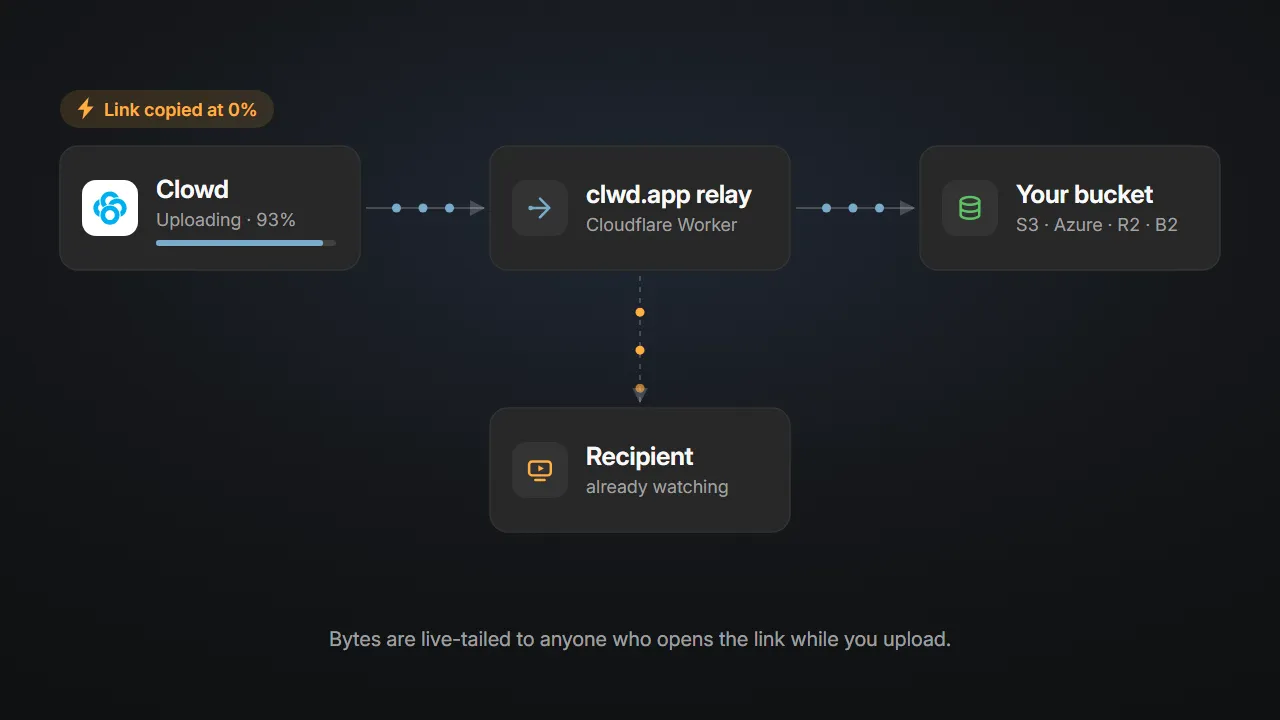
The link works at 0%.
Anyone who opens the link can start watching or downloading while you are still uploading. When it finishes, the link points straight at your storage.
Your storage, your rules.
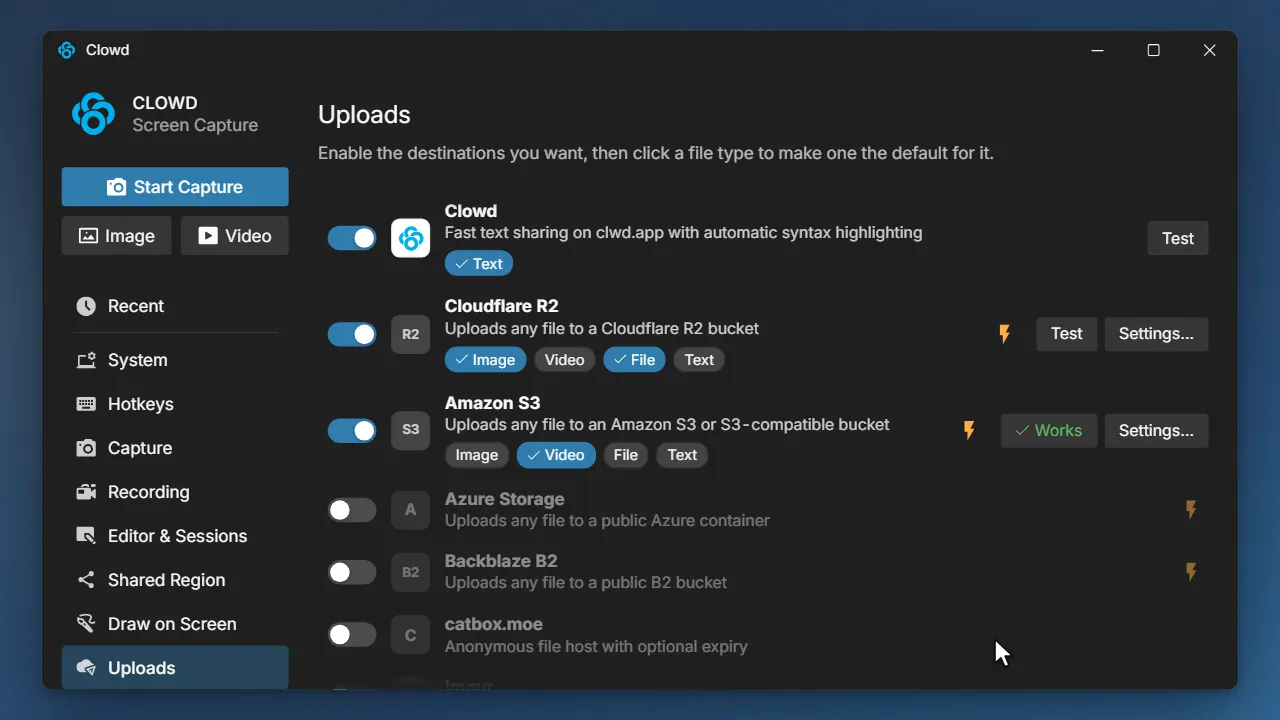
Send uploads to Amazon S3, Azure Blob, Cloudflare R2 or Backblaze B2, so every link ends in storage you own. No bucket? Anonymous hosts work too.
- A different destination for images, videos, files and text
- A Test button that catches a bad key before a meeting does
- Delete anything you shared, right from Recents
Upload from wherever you are.
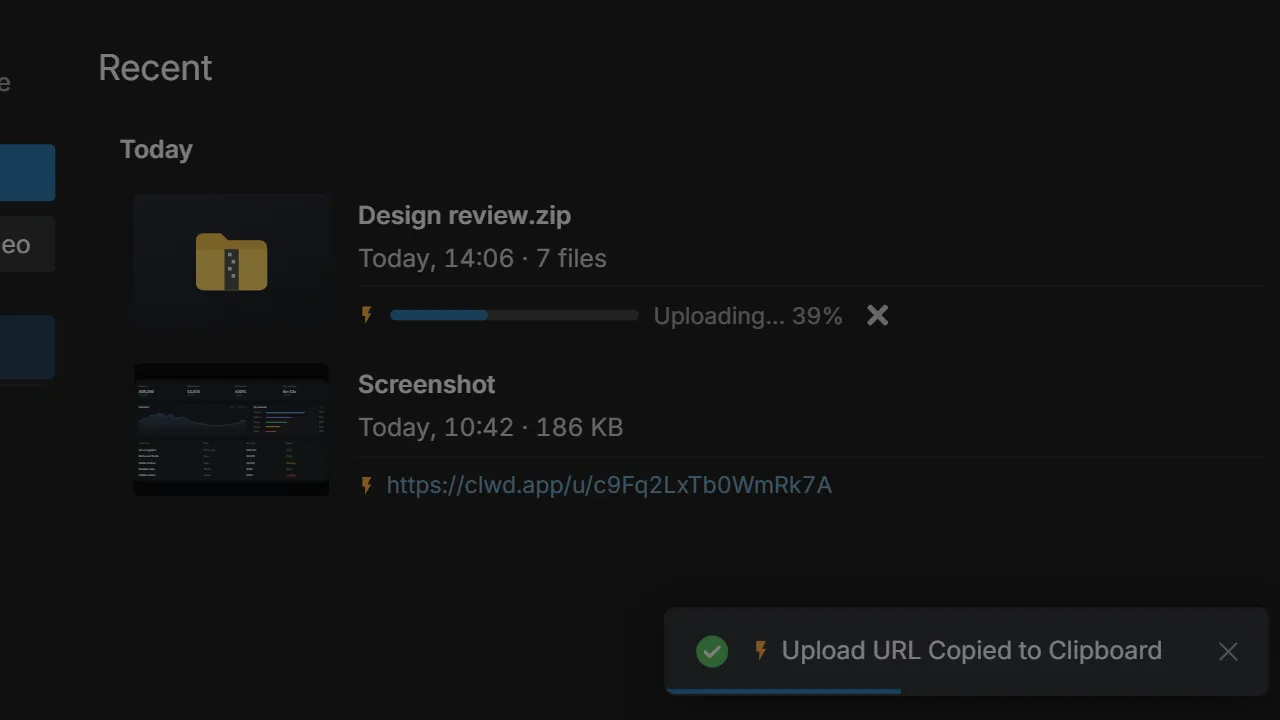
Copy a capture and pick Upload Clipboard from the tray, upload a recording from Recents, or right-click files in Explorer. The link is copied either way.
- Folders arrive as one link
- Apps and scripts are wrapped so browsers don’t block them
- Long recordings upload in the background
Text to a link in one key.
Let text recognition read something on screen and press U. It becomes a clean, highlighted link, with nothing to set up.
Privacy
Nothing leaves until you say so.
Uploading is a choice you make on purpose, every time, to a place you picked.
Off until you want it
Clowd never uploads on its own.
- No Upload button by default. It appears on the capture toolbar only after you turn it on.
- One switch for all of it. Turn uploads off and every upload button disappears.
Where your files go
To the destination you configured, and nowhere else.
- Your bucket, your keys. Links end at your own storage, under your own rules.
- Nothing kept on the way. Accelerated uploads only pass through. Or switch them off and upload direct.
How Clowd compares.
Free. Open source.
Share a screenshot, a recording or a whole folder, with links that end in storage you own.