Editing
Every capture opens here. Nothing is flattened.
Press Enter on a capture and it opens here, ready to mark up. Every arrow, step and blur stays editable, so you can change your mind later.
15 tools, one key each.
R for a rectangle, A for an arrow, O to hide a password.
Objects stay editable.
Move, restyle or delete anything you drew, at any point.
Sessions autosave.
Restart your PC and your open editors come back.
A tool for every mark.
Each one is a single key away, so your hand stays on the keyboard.
- Space
Pan
Drag the view. Hold Space to pan from any tool.
- Esc
Selection
Click to move, drag a marquee to pick many.
- R
Rectangle
Outlines with rounded corners. Shift for a square.
- F
Filled Rectangle
Solid blocks with the same corner radius.
- E
Ellipse
Ovals and, with Shift, circles.
- L
Line
Shift snaps to 15°. Drag the middle to bend it.
- A
Arrow
Straight or curved, solid, dashed or dotted.
- M
Measure
Distance and angle, in pixels or your units.
- P
Pen
Smooth paths with corners and curves.
- B
Brush
Freehand ink for circling and ticking.
- H
Highlighter
A see-through marker. The text shows through.
- C
Step Count
Numbered steps. Drag one to pull an arrow out.
- T
Text
Type anywhere, with an optional pastel card.
- N
Sticky Note
A sticky note you click down and type on.
- O
Obscure
Mosaic, blur or solid over sensitive parts.
Uncrop
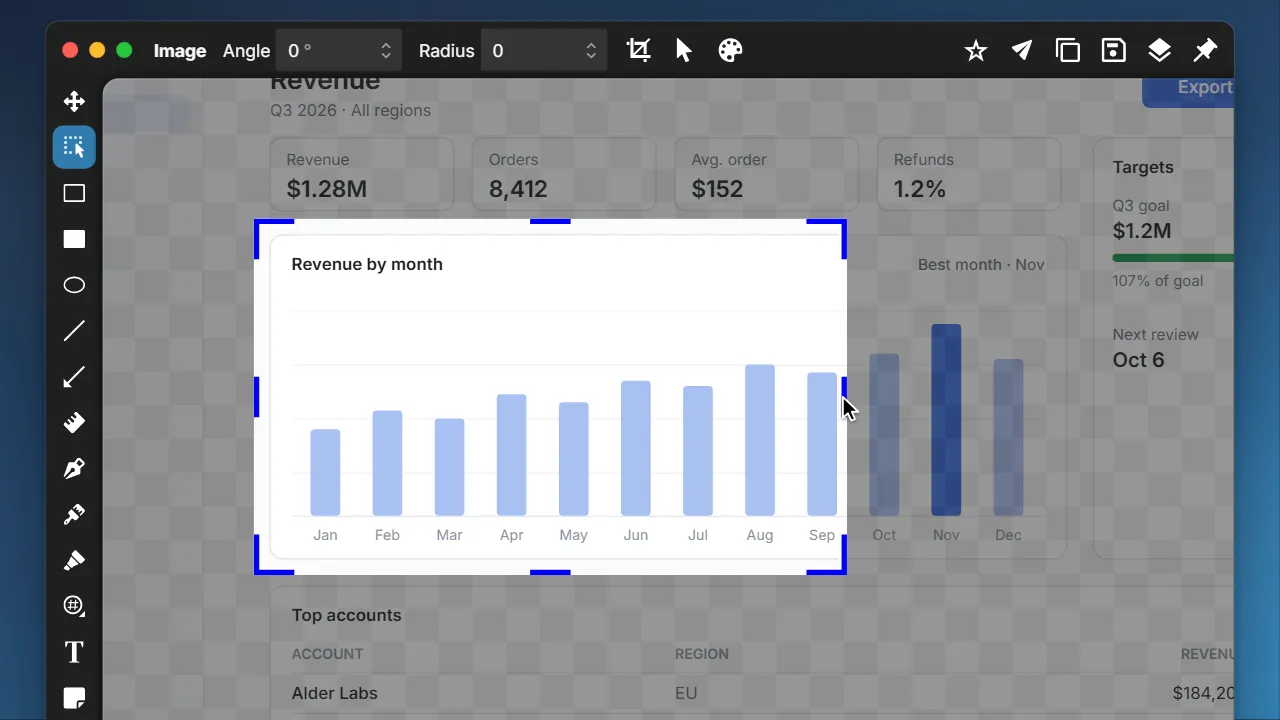
Cropped too tight? Uncrop it.
Clowd keeps the whole screen behind every screenshot. Click Crop and drag an edge back out to bring back what you cut off.
Numbered steps
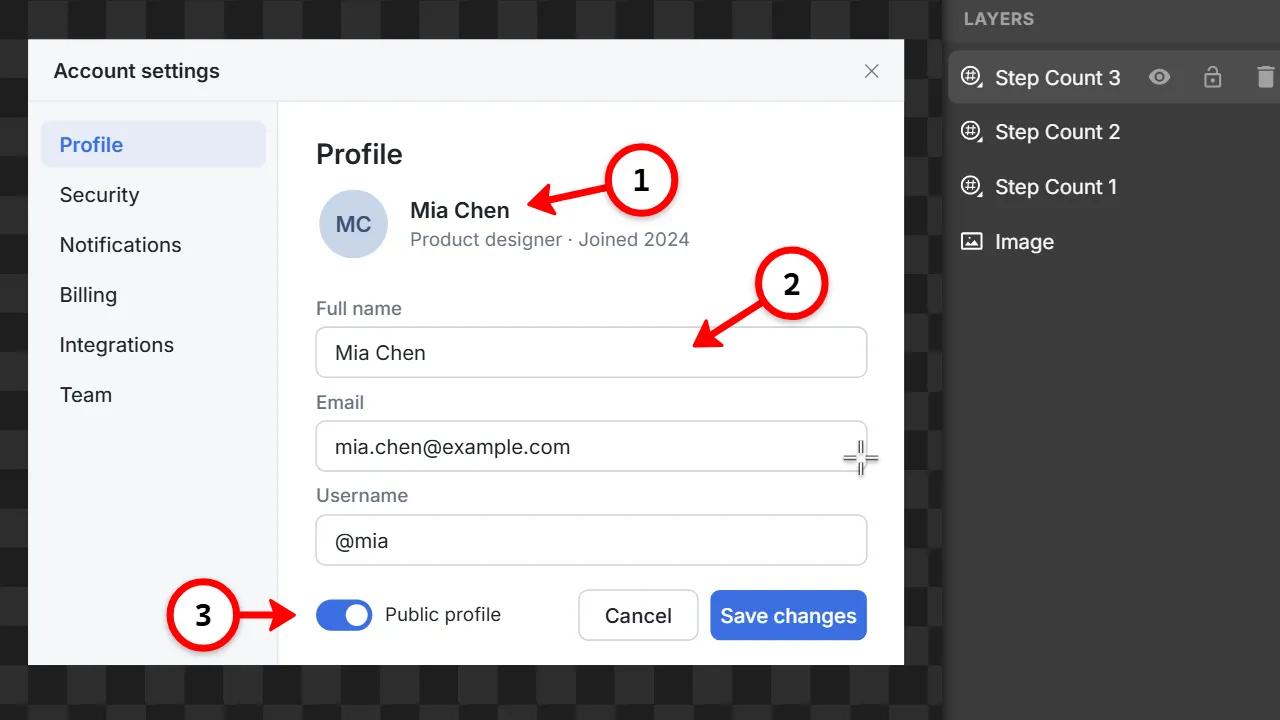
Steps that point at things.
Press C and click, and the badges number themselves. Drag instead and an arrow pulls out of the badge, so each step points at the thing it’s about.
- Set the look once. Pick a color and size, and the next steps follow.
Curves
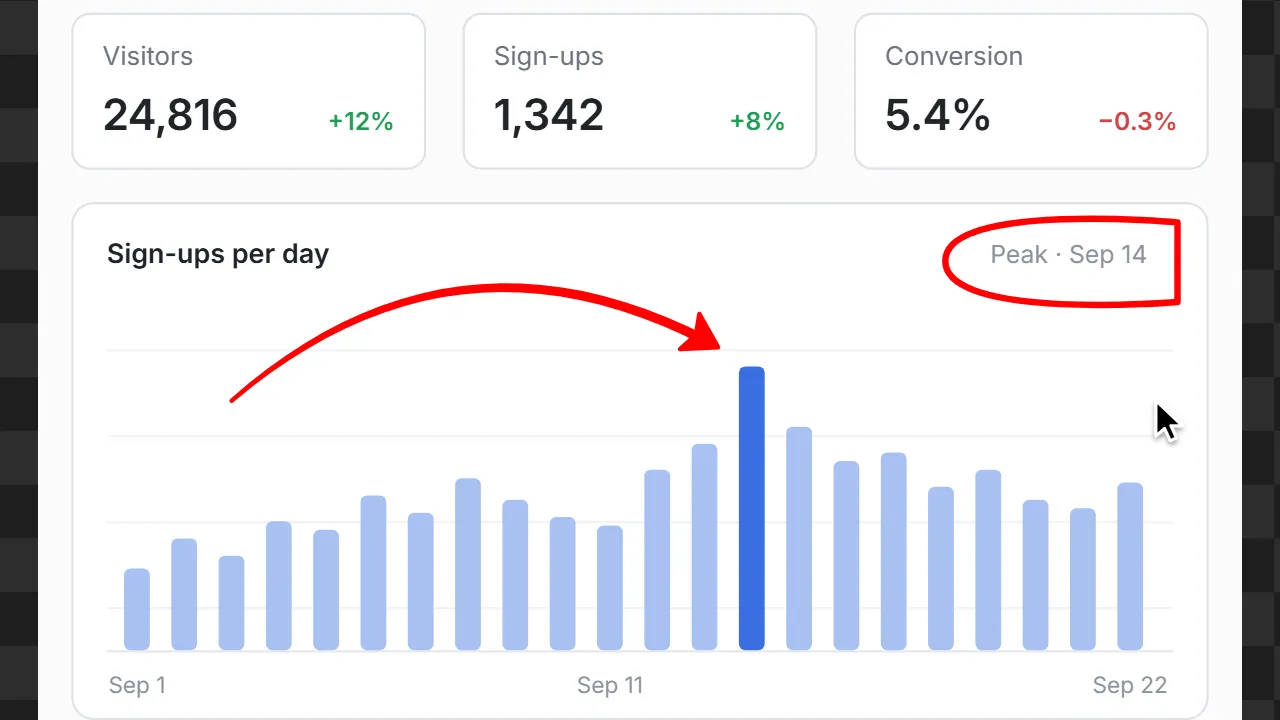
Curves, not just lines.
Drag the middle of any arrow or line and it bends smoothly around whatever is in the way. For outlines with more than one bend, the Pen draws smooth paths.
- Straight when you want it. Hold Shift to snap to clean angles.
- Solid, dashed or dotted. On arrows, lines, paths and shapes.
Redaction
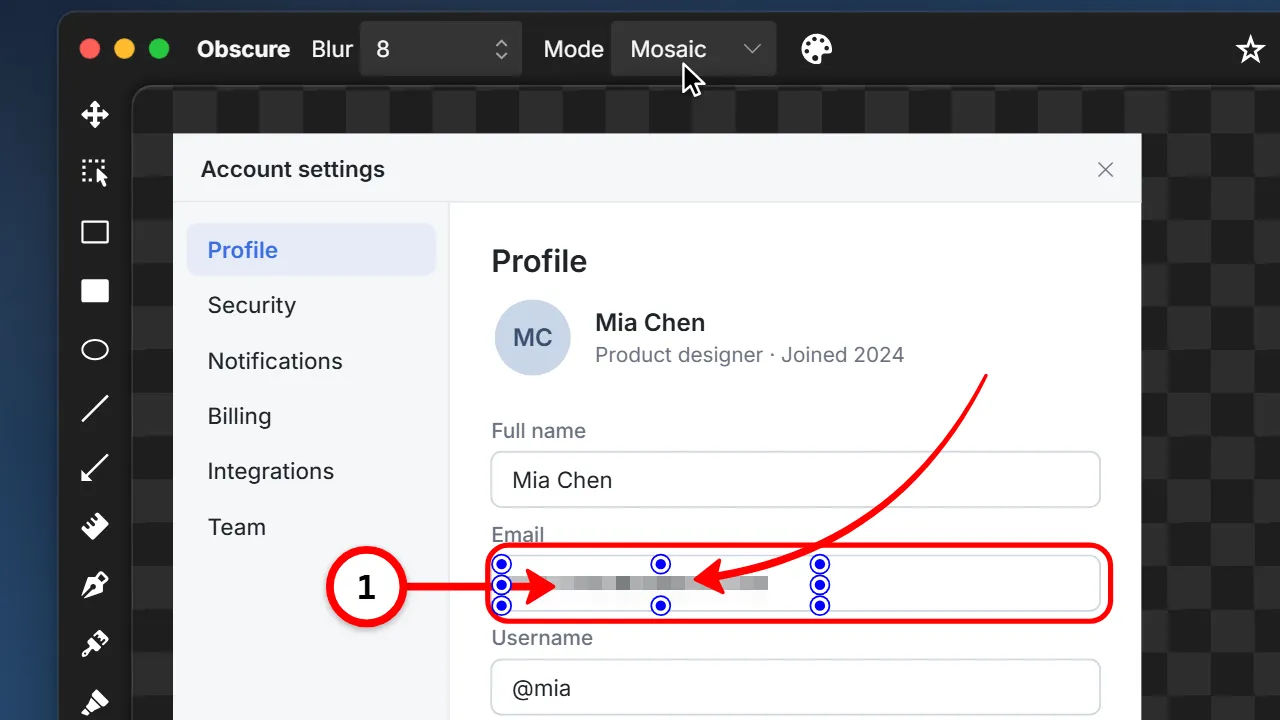
Redact without regret.
Press O and drag over an email, a token or a face, then pick Mosaic, Blur or Solid. The arrows and notes on top stay sharp.
- Change your mind. Switch modes, resize it, or delete it to bring the original back.
- Hide the captured cursor. If the pointer got in the shot, switch it off afterwards.
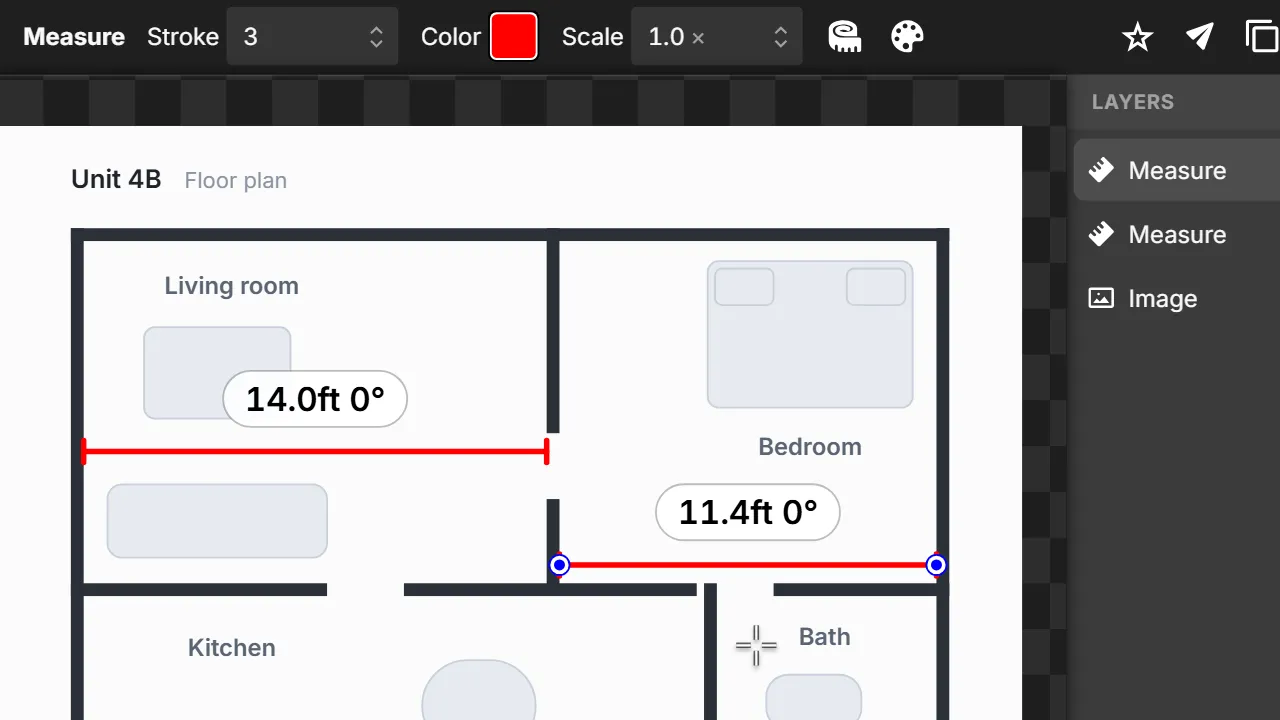
Measure
Measure in real units.
Press M and drag between two points for the distance and angle. Tell Clowd one real length, say 14 ft, and every measure in the image switches to your units.
Styles
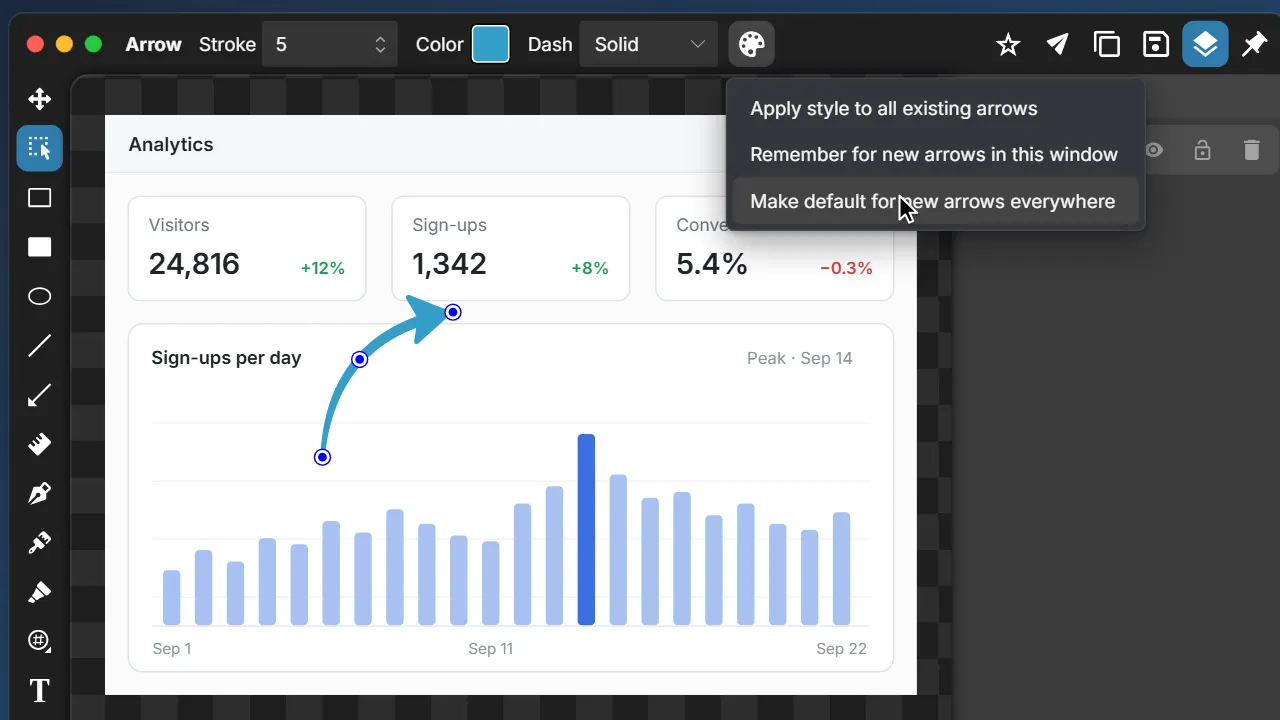
Your style, remembered.
Each tool remembers the last style you used. Like a blue 5 px arrow? Apply it to every arrow in the image, or make it the default everywhere.
How Clowd compares.
Mark it up. Send it. Move on.
Free and open source. No watermark.