Presenting
Ink that stays while you keep working.
Draw, point and number steps on top of any app. Press Esc and your drawing stays on screen while you click, scroll and type underneath.
Works over anything.
Slides, code, browsers, dashboards, even a playing video.
One undo for every screen.
Undo works across all your monitors, in the order you drew.
In every capture.
Your ink shows up in screenshots, recordings and shared screens.
Tools
Nine tools. One key each.
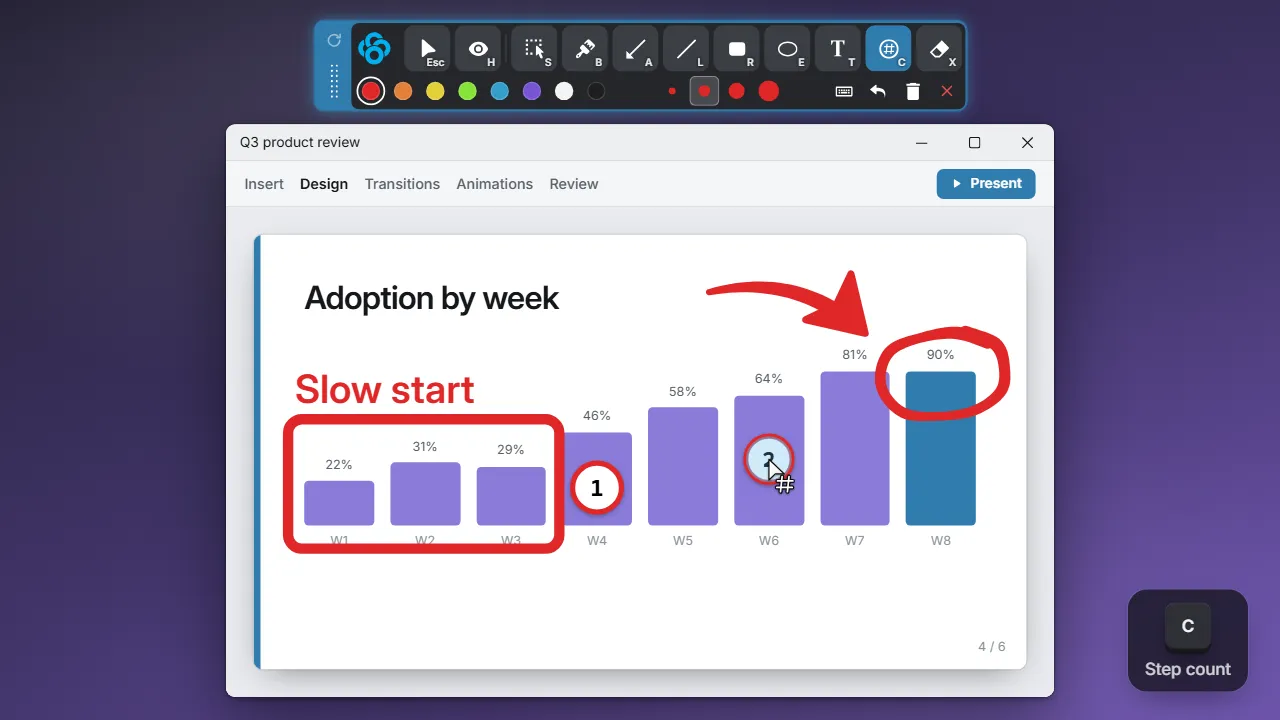
Every tool is a single keypress, so you never stop mid-sentence to hunt for it. The brush tapers like real ink, so even quick marks look neat.
- Steps that count themselves. Click and the badges go 1, 2, 3 on their own.
- An eraser that’s exact. Hover a mark to see what goes, or drag a box to clear an area.
- Colors that stand out. Eight of them, picked to read on any background.
The toolbar
Everything in two rows.
Every tile shows its key while the toolbar has focus, so you learn the shortcuts just by using it.
- Grip
Drag to move. The top cell turns the strip vertical. - Click-throughEscThe ink stays and the mouse goes back to your apps. Ringed while on.
- HideHHides the ink without deleting it.
- ToolsS B A L R E T C XThe tool in hand is lit. While the strip has focus, each tile shows its key.
- ColorsShift+1–8Red, orange, yellow, green, blue, purple, white and black.
- Sizes1–4Thin, Medium, Thick and Huge, drawn in the current color.
- KeystrokesCtrl+KShows the keys you press, live.
- Undo, Clear all, CloseCtrl+Z · Ctrl+Delete · Ctrl+WUndo and Clear all hand the mouse back. Close ends the session and discards the ink.
Click-through
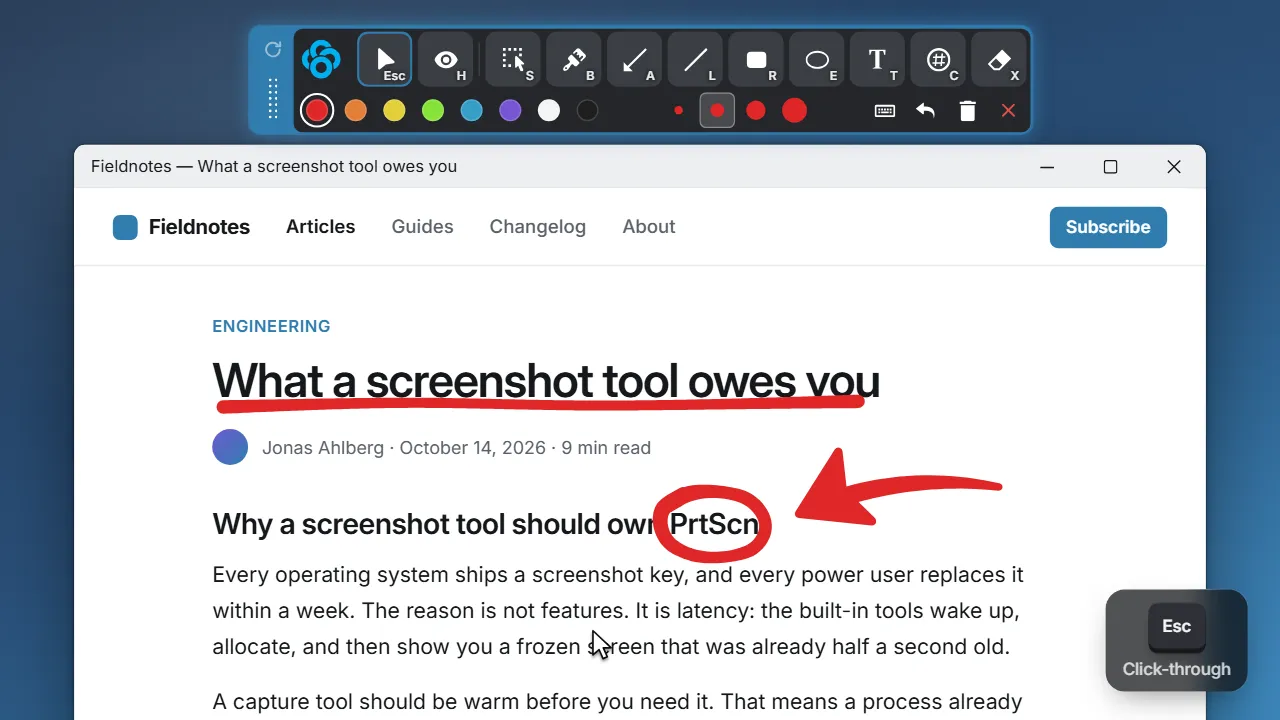
Press Esc. The ink stays.
Your drawing stays on screen while you click, scroll and type in the app underneath. Pick the pen back up whenever you need it.
- Hide it for a moment. H tucks the ink away without deleting it.
- Never steals your keyboard. Switch to another app and Clowd steps aside.
Live keystrokes
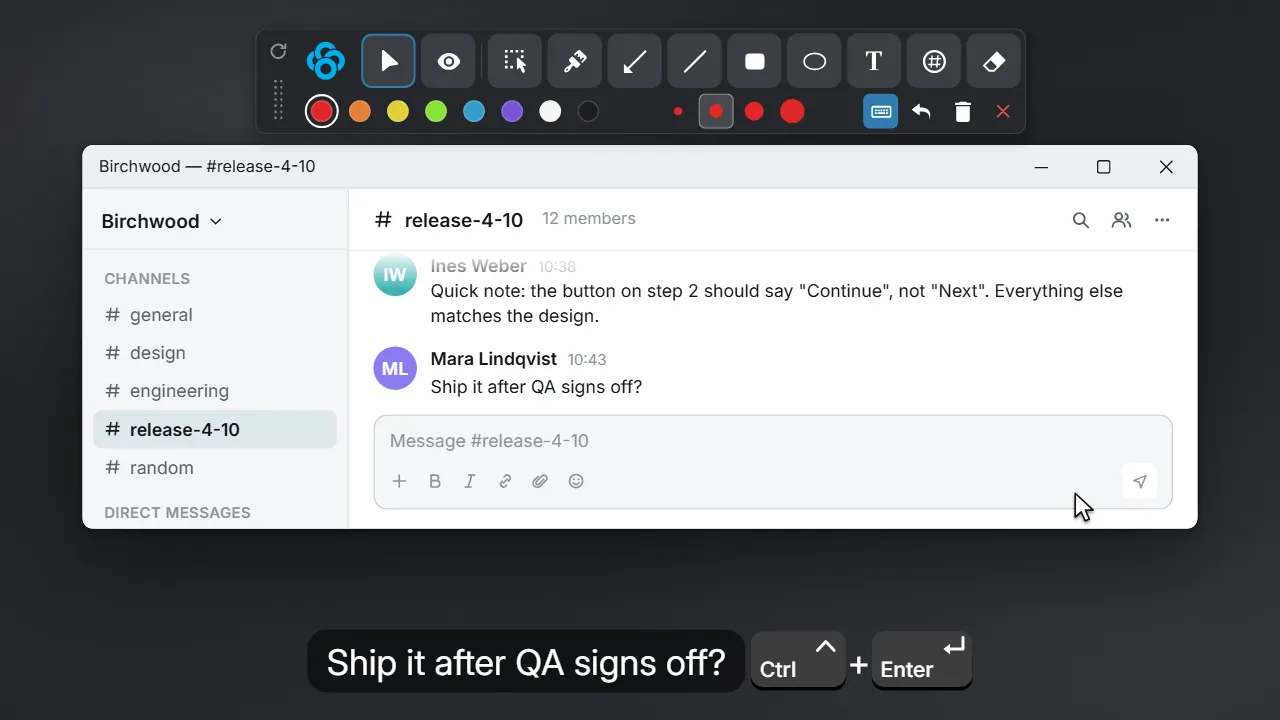
Show the keys you press.
Press Ctrl + K and every key you press appears on screen, so nobody has to ask what you just did. Typed text shows in a pill, shortcuts as keycaps.
- Put it anywhere. Pick the spot, size, colors and animation.
- Just the shortcuts, if you like. Show every key, or only the combos that matter.
The overlay shows everything you type, including passwords.
Draw on Instant Screenshot
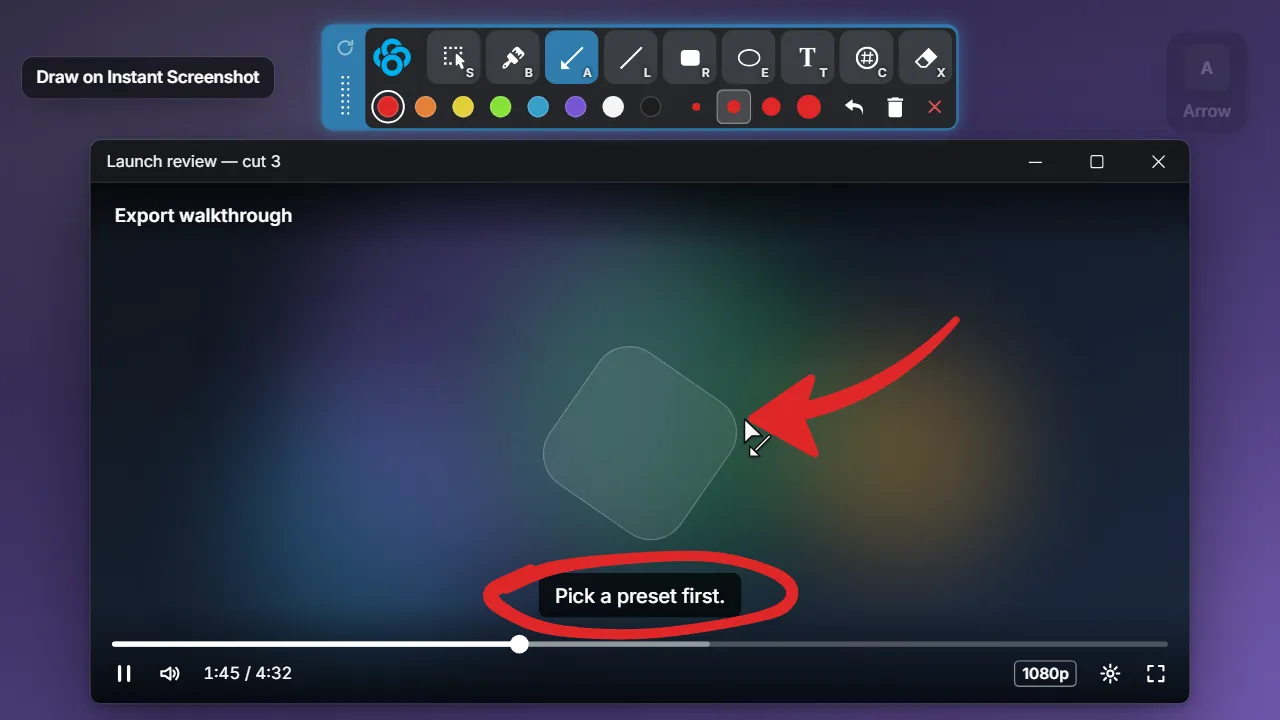
Freeze the frame, then draw.
Some things won’t hold still: a playing video, a live dashboard, a scrolling log. Freeze the screen at that moment and mark it up with the same tools.
Start anywhere
One click from the tray, the recorder or a share.
Open it from the tray or a hotkey, or press the pen while you record or share your screen.
The tray menu
Or a hotkey you set on the Hotkeys page.
The recording toolbar
Draw while you record. The ink is in the video.
The share toolbar
Point at things in a meeting. The ink is in the share.
How Clowd compares.
Draw on anything. Then get back to work.
Free and open source. Windows and macOS.