Clowd vs Monosnap.
Monosnap is a freemium capture tool with its own cloud. Clowd is free for everyone and adds a multi-track video editor.
- Price
- FreeFree. No trial, no tiers, no watermark.
- Status
- Very active4.10.0 released Oct 19, 2026. In development since 2015.
- Best for
- Commercial use at no costRecordings you can editYour own storage, free
- Price
- Free personal · from $2.50/moFree for personal use with storage limits and 5-minute videos. Non-Commercial from $2.50/mo and Commercial from $5 per user per month, billed annually.
- Status
- MaintainedMac 7.0 brought a faster editor. The Windows release history is not public.
- Best for
- Many storage integrationsBrowser captureTeam accounts
Feature by feature.
Every Monosnap verdict comes from its own documentation.
| Feature | Clowd | Monosnap |
|---|---|---|
| Capture | ||
| Region capture | YesPress PrtScn and drag. Edges can be placed to the pixel while zoomed. | Yes |
| Window snapping | YesHover a window and click, or press W. | Yes |
| Full-screen capture | YesF for the monitor under the cursor, A for all monitors, Ctrl+PrtScn for the active screen. | Yes |
| Magnifier | YesScroll to zoom the frozen screen from 1× to 256×. | Yes8x magnifier for pixel-precise selection. |
| Color picker | YesPress H on any pixel. The Color Editor copies HEX, RGB or HSL and has an eyedropper. | Not documented by the vendor |
| Scrolling capture | YesRewinds to the top first, and sticky headers appear once. Scrolls whole windows, not panes inside them. Needs Accessibility permission on macOS. | Not documented by the vendorNot on the official site; some third-party listings claim webpage scrolling capture. |
| Text recognition (OCR) | YesOn-device. The text lifts off the capture so you can check it, then copy, search or share it. OCR and the AI effects need Windows or a Mac with Apple Silicon. Latin, Greek, Chinese and Japanese kana. Cyrillic and Korean aren’t supported yet. | PartialBeta text recognition in the Mac area tool (Cmd+R, since 6.1); Windows unverified. |
| Delay timer | NoThere is no capture timer yet. | YesDelayed screenshots. |
| Annotate | ||
| Image editor | YesEvery capture opens in the image editor. Objects stay editable and sessions autosave. | Yes |
| Shapes, arrows and text | YesCurved arrows and lines, a Bezier pen, text, sticky notes and a highlighter. | YesPen, text, arrows, shapes, highlight. |
| Blur and pixelate | YesMosaic, blur or solid. It only affects the image underneath, never your annotations. | YesBlur tool. |
| Step numbers | YesNumbered steps. Drag from a step to pull an arrow out of it. | Not documented by the vendor |
| Record | ||
| Screen recording | YesRegion, window or screen, with a live frame-rate meter. | YesFree tier limited to 5 minutes. |
| GIF | YesAny recording converts to a GIF in one click from Recents. | Yes |
| Webcam | YesRecorded as a separate track you place in the editor. | YesWebcam picture-in-picture (documented for Windows). |
| Click effects | YesRipple, Pulse, Ring and Pressure effects, chosen after recording. | YesCapture mouse clicks option (Windows docs). |
| Edit | ||
| Trim and cut | YesTrim, split, ripple delete and Ctrl+K to split every track. | Not documented by the vendor |
| Multi-track timeline | YesVideo, audio, text, image, zoom, speed, cursor and keyboard rows on one timeline. | No |
| Present | ||
| Draw on screen | Yes9 tools, click-through on Esc, an eraser and one undo history across monitors. | PartialCan highlight/annotate on screen while recording ("Highlight details during recording"); no standalone presentation mode. |
| Share a region | YesAny rectangle, in any meeting app that can share a window. Blur or black it out live. Viewer frame rate is limited by the meeting app. | No |
| Share | ||
| Upload and share | YesCaptures, recordings, text, files and folders. Image and video uploads need a storage destination; text pastes work out of the box. | YesMonosnap cloud with short links (2 GB free). |
| Instant link | YesThe link is copied automatically. With accelerated uploads, the moment the upload starts. | Not documented by the vendor |
| Your own storage | YesAmazon S3 and S3-compatible, Azure Blob, Cloudflare R2, Backblaze B2 and more. | PaidDropbox, Google Drive, Box, Yandex.Disk, Evernote, FTP/SFTP/FTPS, WebDAV, Amazon S3, S3-compatible, DigitalOcean Spaces (30-day free trial). |
| Platform & price | ||
| Windows | YesWindows 10 and later, x64 and ARM64. | Yes |
| macOS | YesmacOS 13 and later, Apple Silicon and Intel. OCR and the AI effects need Windows or a Mac with Apple Silicon. Default hotkeys use PrtScn. Rebind them in Settings → Hotkeys on a Mac keyboard. | Yes |
| Linux | NoNot available yet. | No |
| Free | YesFree. No trial, no tiers, no watermark. | PartialFree for personal/non-commercial use with storage and 5-minute video limits. |
| Open source | YesMIT licensed. The part that runs text recognition and the AI effects is GPL-3.0. | No |
Sources9Checked Oct 19, 2026
- monosnap.ai
- monosnap.ai/pay
- monosnap.ai/download
- apps.apple.com/us/app/monosnap-screenshot-editor/id540348655
- screencastsonline.com/tutorials/utilities/monosnap
- arkthinker.com/screenshot/review-monosnap
- snapfiles.com/get/monosnap.html
- support.monosnap.com/hc/en-us/articles/360017609979-Win-How-to-record-videos
- support.monosnap.com/hc/en-us/articles/360017581719-Mac-How-to-record-video-with-audio
Product names are trademarks of their owners and are used only to identify them. Spotted something out of date? Open an issue.
Where Monosnap wins.
If these matter most to you, Monosnap may be the better pick.
Integrations with WebDAV, Box, Evernote, YouTube and more.
A Chrome extension for capturing in the browser.
Team accounts, private links and SSO.
Where Clowd goes further.
Upload & Share
Your own storage, at no cost.
Monosnap uploads to S3, FTP or Dropbox on paid plans only. Clowd uploads to your own storage for free and copies the link the moment the upload starts.
More about uploads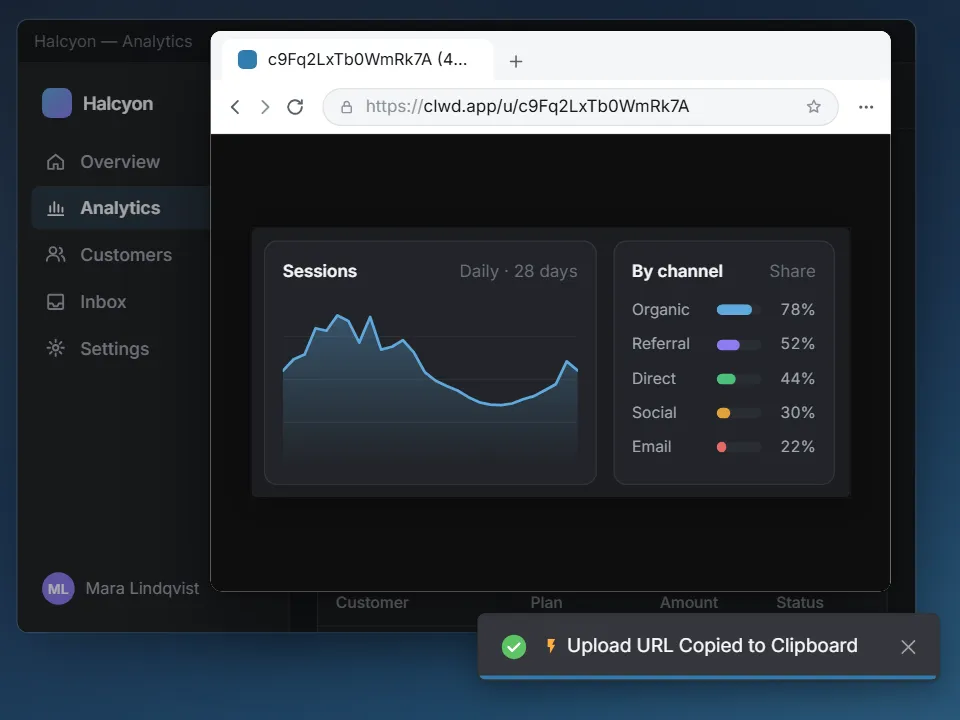
Capture Overlay
Zoom to 256×.
Monosnap's magnifier goes to 8×. Clowd zooms up to 256×, so your selection lands on the exact pixel.
More about the capture overlay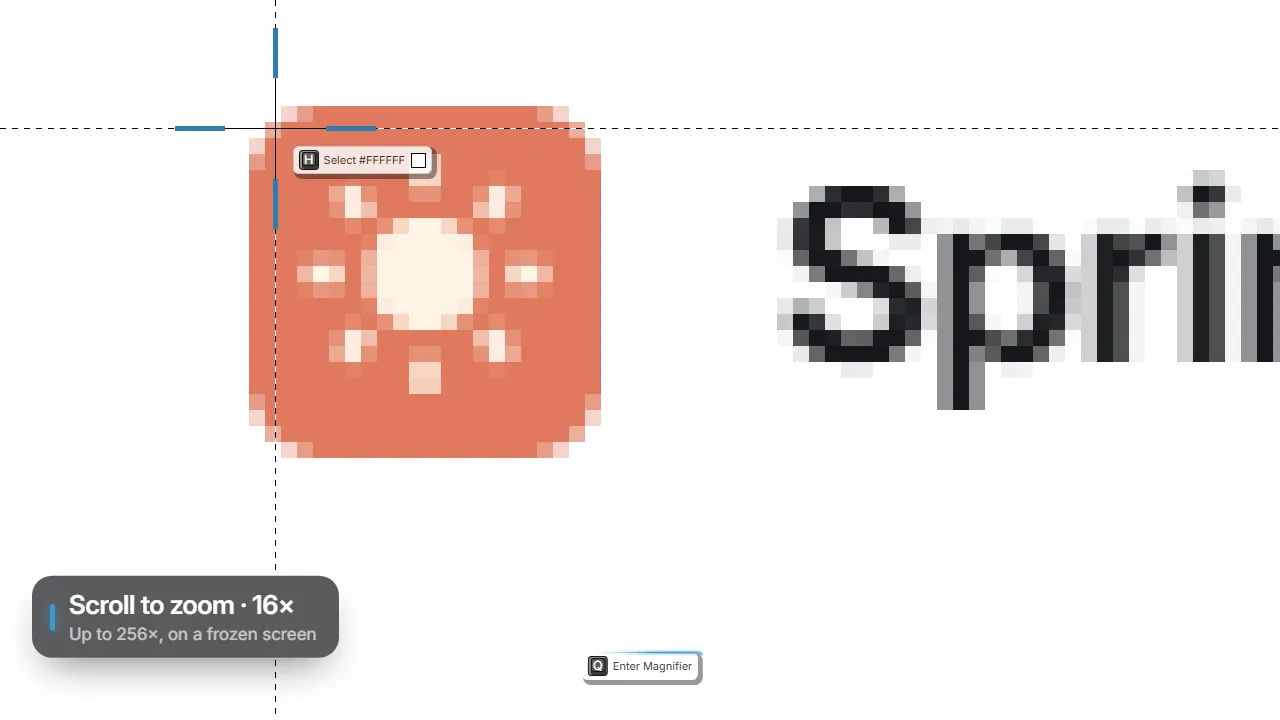
Screen Recording
Recordings with tracks.
Both record the screen, webcam and clicks. Clowd keeps each on its own track and opens them in a multi-track editor.
More about screen recording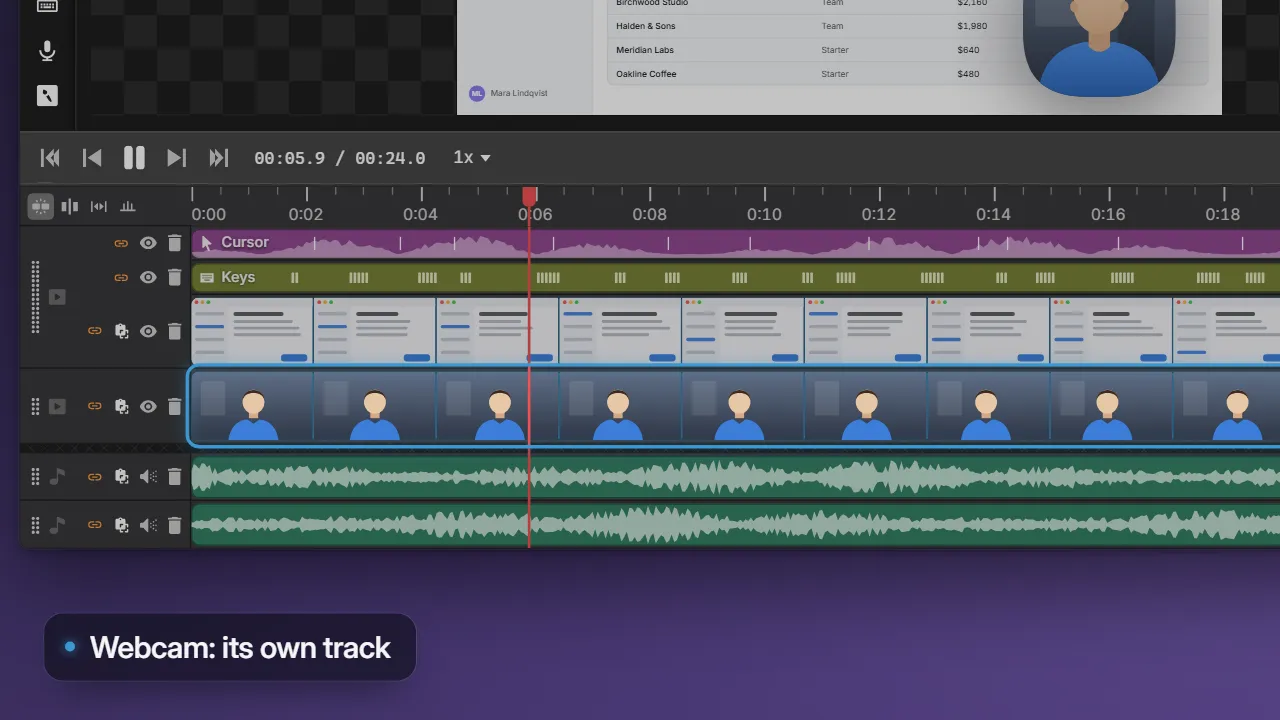
Draw on Screen
Draw on screen any time.
Monosnap lets you highlight while recording. Clowd's Draw on Screen works any time, with click-through, an eraser, step badges and live keystrokes.
More about Draw on Screen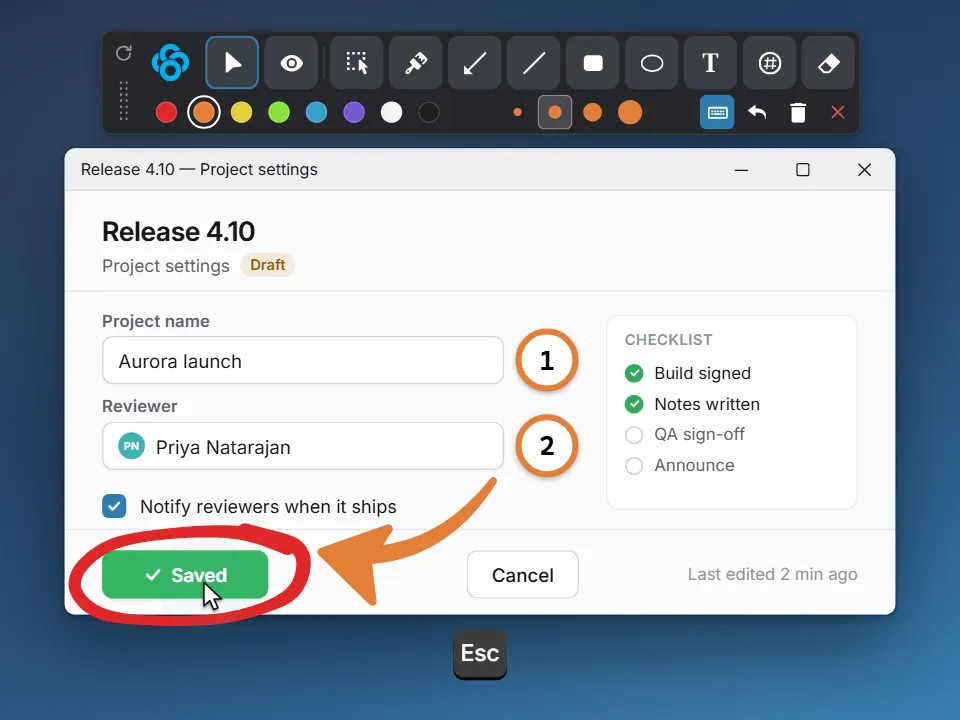
Other comparisons.
Clowd vs Greenshot
The lightweight open-source Windows screenshot tool: capture, annotate, send to Office or an uploader.
Clowd vs Lightshot
The two-click screenshot tool: drag a region, then copy, save or upload to a short prnt.sc link.
Clowd vs ShareX
The most feature-dense free capture tool on Windows, with workflows and 80+ upload destinations.