Clowd vs Tella.
Tella is a cloud recorder and browser editor. Clowd records and edits on your own machine, for free.
- Price
- FreeFree. No trial, no tiers, no watermark.
- Status
- Very active4.10.0 released Oct 19, 2026. In development since 2015.
- Best for
- Free and local-firstPer-segment speedCapture and OCR too
- Price
- From $13/user/moPro $13 and Premium $19 per user per month, billed annually. No free plan; every workspace gets a 7-day trial.
- Status
- ActiveShips weekly. A new multi-track editor became the default in September 2026.
- Best for
- Creator demos and tutorialsTranscript editingEditing together
Feature by feature.
Every Tella verdict comes from its own documentation.
| Feature | Clowd | Tella |
|---|---|---|
| Capture | ||
| Region capture | YesPress PrtScn and drag. Edges can be placed to the pixel while zoomed. | NoNo desktop screenshot tool. |
| Scrolling capture | YesRewinds to the top first, and sticky headers appear once. Scrolls whole windows, not panes inside them. Needs Accessibility permission on macOS. | PartialCan turn a web page or social-post URL into an image or scrolling video. Not desktop capture. |
| Text recognition (OCR) | YesOn-device. The text lifts off the capture so you can check it, then copy, search or share it. OCR and the AI effects need Windows or a Mac with Apple Silicon. Latin, Greek, Chinese and Japanese kana. Cyrillic and Korean aren’t supported yet. | No |
| Annotate | ||
| Image editor | YesEvery capture opens in the image editor. Objects stay editable and sessions autosave. | No |
| Record | ||
| Screen recording | YesRegion, window or screen, with a live frame-rate meter. | YesScreen and camera as separate tracks, up to 4K (the Windows app is beta and records a display or a single window). |
| GIF | YesAny recording converts to a GIF in one click from Recents. | PartialGenerates an animated GIF thumbnail (up to 30 s) from a video. |
| System audio | YesRecorded as its own track. | Yes |
| Microphone | YesRecorded as its own track, with a live level meter. | Yes |
| Webcam | YesRecorded as a separate track you place in the editor. | YesLayouts can be changed after recording. |
| Click effects | YesRipple, Pulse, Ring and Pressure effects, chosen after recording. | YesAnimated cursor with click spring and ripple effects (Mac and Windows app recordings only). |
| Keystroke overlay | Yes3D keycaps with a Shortcuts-only filter. | NoTella's docs recommend running a separate keystroke visualizer. |
| Edit | ||
| Trim and cut | YesTrim, split, ripple delete and Ctrl+K to split every track. | YesPlus transcript-based cuts and automatic silence removal. |
| Multi-track timeline | YesVideo, audio, text, image, zoom, speed, cursor and keyboard rows on one timeline. | YesZooms, effects, and overlays stack on separate timeline tracks. |
| Zoom effects | Yes1× to 5× with eased ramps. Zoom rows stack. Zooms are placed by hand with a fixed focus. There is no auto-zoom or cursor-follow. | YesZooms and screen effects, with motion blur. |
| Speed changes | Yes0.25× to 10× per segment, with pitch-corrected audio. | PartialOne export speed (0.5x to 2.5x) or a timelapse for the whole video on paid plans. No per-segment speed ramps documented. |
| AI background removal | YesBackground blur or removal behind a person. OCR and the AI effects need Windows or a Mac with Apple Silicon. The part that runs text recognition and the AI effects is GPL-3.0. | YesCamera cut-out and background blur or replace after recording. Live effects work in the web and extension recorders (the Mac app uses macOS effects, and the Windows app and Safari have none). |
| AI noise removal | YesSpeech Enhancer with a live strength dial. OCR and the AI effects need Windows or a Mac with Apple Silicon. The part that runs text recognition and the AI effects is GPL-3.0. | YesStudio Voice audio enhancement (Low or High). |
| Voice-over recording | YesCountdown, record against playback, takes land on their own Voice row. | PartialYou can add an audio file or re-record individual clips. Tella's FAQ says it can't record a voiceover onto an existing video or generate AI narration. |
| Cursor smoothing | NoNo cursor path smoothing. | YesPath smoothing, size, and 5 cursor styles (Mac and Windows app recordings only). |
| Backgrounds | Yes10 background styles, including animated ones. | YesBackgrounds and layouts. |
| Present | ||
| Draw on screen | Yes9 tools, click-through on Esc, an eraser and one undo history across monitors. | No |
| Share a region | YesAny rectangle, in any meeting app that can share a window. Blur or black it out live. Viewer frame rate is limited by the meeting app. | No |
| Share | ||
| Instant link | YesThe link is copied automatically. With accelerated uploads, the moment the upload starts. | YesShare links render instantly. |
| Your own storage | YesAmazon S3 and S3-compatible, Azure Blob, Cloudflare R2, Backblaze B2 and more. | PartialDirect social and YouTube publishing and a custom share-page domain (Premium), but no S3, FTP, or arbitrary host targets. |
| Platform & price | ||
| Windows | YesWindows 10 and later, x64 and ARM64. | YesWindows app (beta). |
| macOS | YesmacOS 13 and later, Apple Silicon and Intel. OCR and the AI effects need Windows or a Mac with Apple Silicon. Default hotkeys use PrtScn. Rebind them in Settings → Hotkeys on a Mac keyboard. | Yes |
| Linux | NoNot available yet. | PartialOnly through the browser recorder or Chrome extension. |
| Free | YesFree. No trial, no tiers, no watermark. | NoPaid plans only, with a 7-day trial. |
| Open source | YesMIT licensed. The part that runs text recognition and the AI effects is GPL-3.0. | No |
| Local-first | YesCaptures, OCR, AI effects and rendering run on your computer. Uploading is opt-in. | NoCloud-first editing and storage (raw exports are available). |
Sources13Checked Oct 19, 2026
- tella.com
- tella.com/pricing
- tella.com/docs/llms.txt
- tella.com/docs/_llms/help-center.txt
- tella.com/docs/changelog.md
- tella.com/docs/help/billing/how-the-free-trial-works.md
- tella.com/docs/help/export-videos/change-export-speed.md
- tella.com/docs/help/faq/add-a-voiceover-after-recording.md
- tella.com/docs/help/recording/blur-your-camera-background.md
- tella.com/docs/help/editing/customize-animated-cursor.md
- tella.com/docs/help/editing/multi-track-timeline.md
- tella.com/docs/help/sharing/generate-an-animated-gif-from-your-video.md
- tella.com/docs/help/tips/show-keys-pressed-in-your-video.md
Product names are trademarks of their owners and are used only to identify them. Spotted something out of date? Open an issue.
Where Tella wins.
If these matter most to you, Tella may be the better pick.
Transcript editing and silence removal.
Subtitles with translation.
Real-time co-editing.
Share pages and direct publishing to social platforms.
Where Clowd goes further.
Video Editor
Speed ramps per segment.
Tella sets one speed for the whole export. Clowd speeds up or slows down any stretch, from 0.25× to 10×, and the audio keeps its pitch.
More about the video editor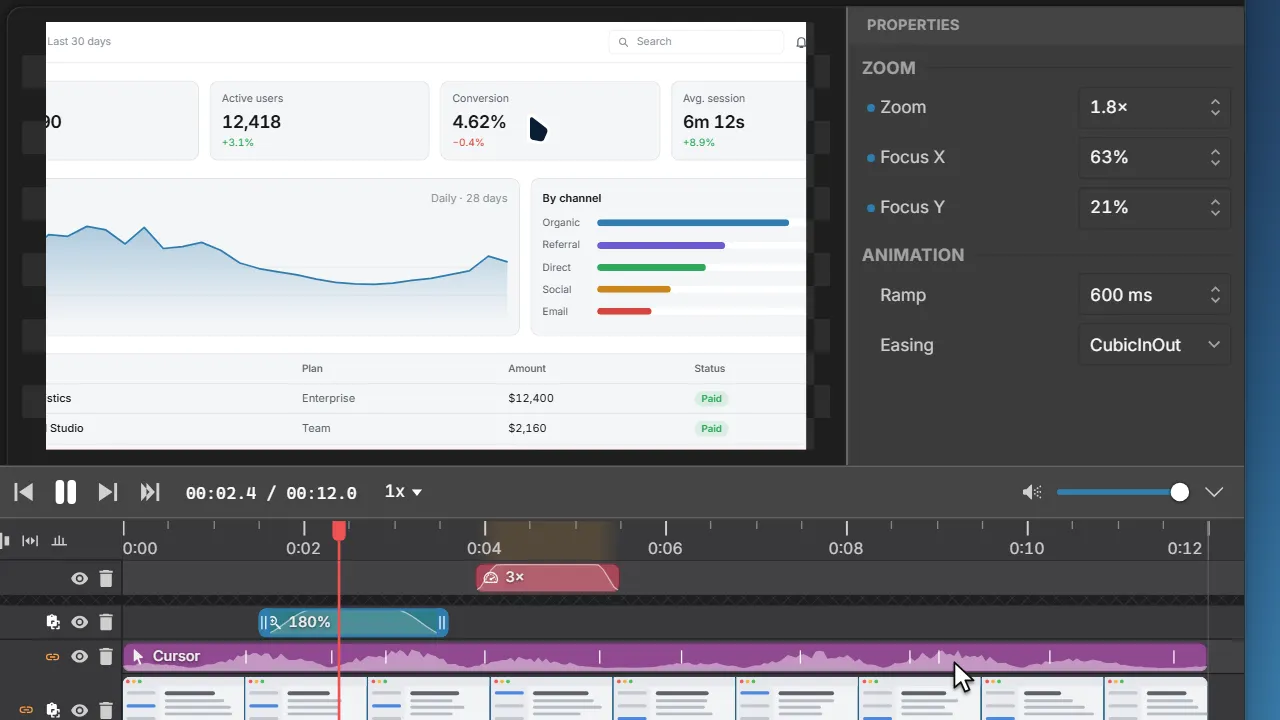
Video Editor
Record voice-over onto your video.
Tella can add an audio file or re-record a clip. Clowd lets you narrate over playback, onto its own track.
More about the video editor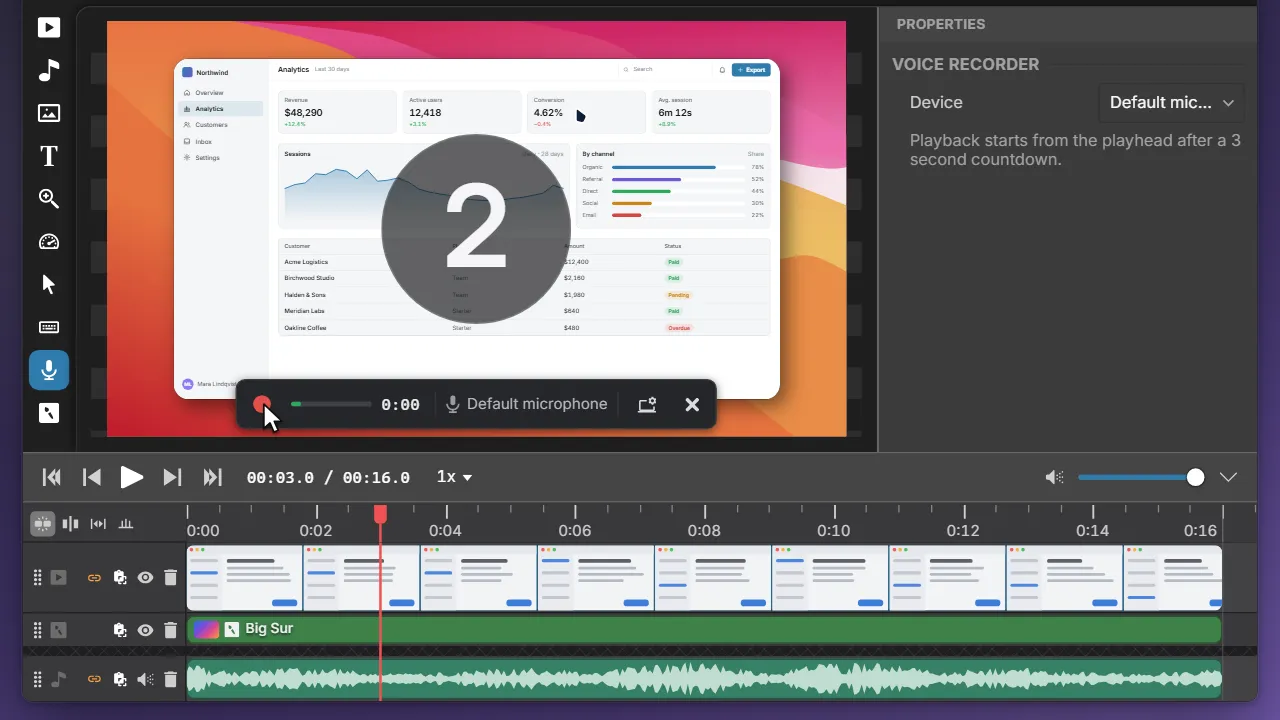
Screen Recording
Your recordings stay on your computer.
Tella records to and edits in its cloud. Clowd records and edits locally, and nothing is uploaded until you choose.
More about screen recording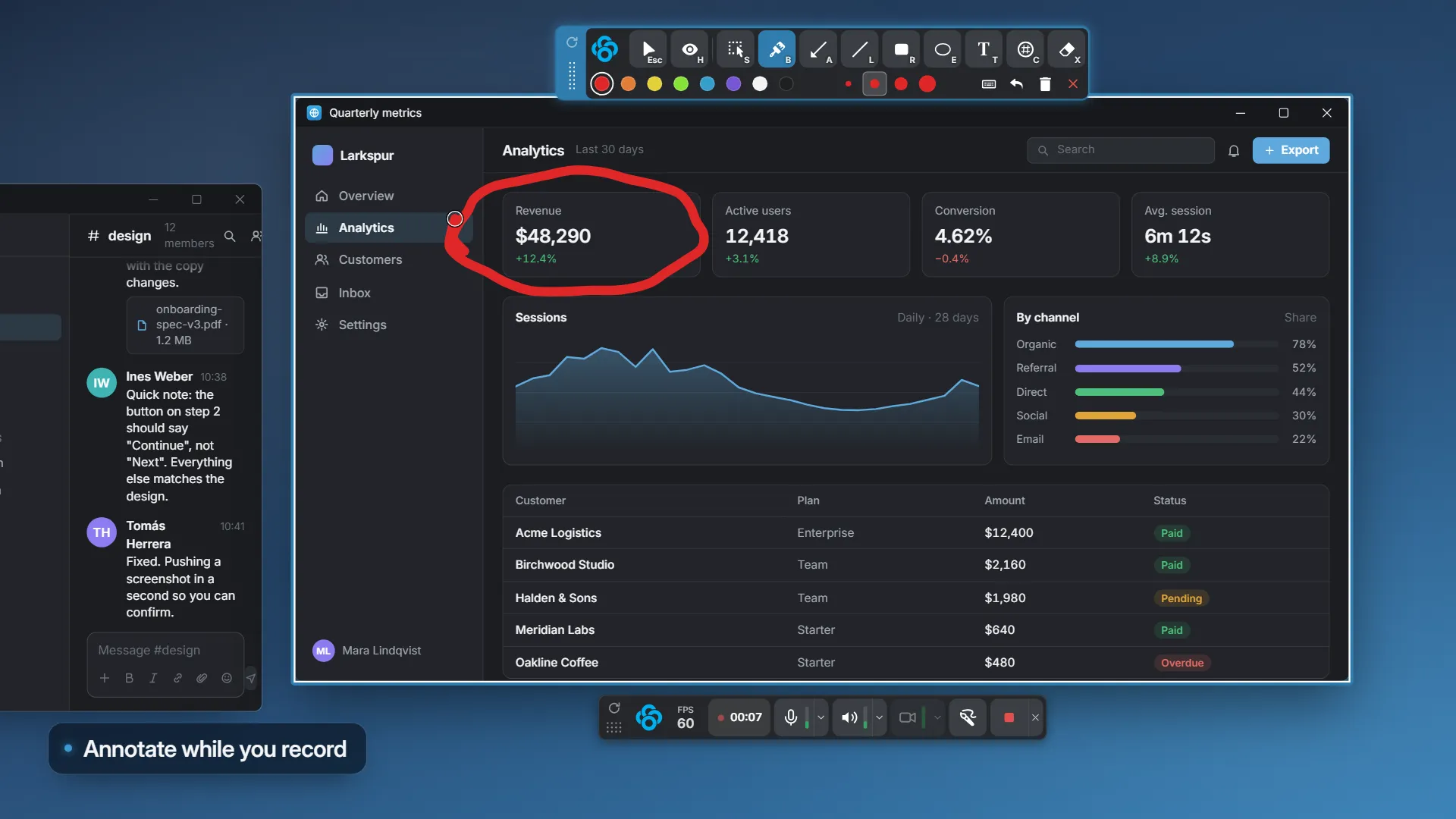
Upload & Share
Share from your own storage.
Tella publishes to its share pages. Clowd uploads to your own storage and copies the link the moment the upload starts.
More about uploads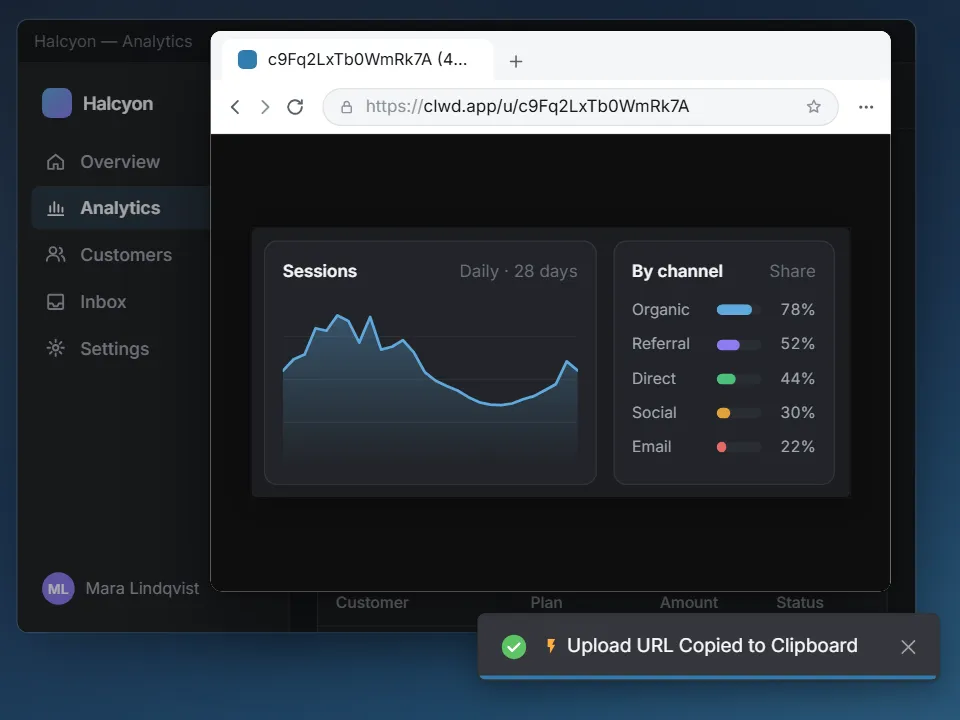
Other comparisons.
Clowd vs Screen Studio
The design-forward Mac recorder that turns raw recordings into polished videos automatically.
Clowd vs Cap
The open-source Loom and Screen Studio alternative, with instant links and a local editor.
Clowd vs Loom
Atlassian's cloud video messaging: record, get a link the moment you stop, collect comments.